
Free on the App Store · iPhone
Keep the best of every moment.
From a thousand shaadi photos to the few you'll treasure. Marigold finds the best shots, right on your iPhone. You choose what stays.
Private: your photos never leave your phone. App Privacy: Data Not Collected.
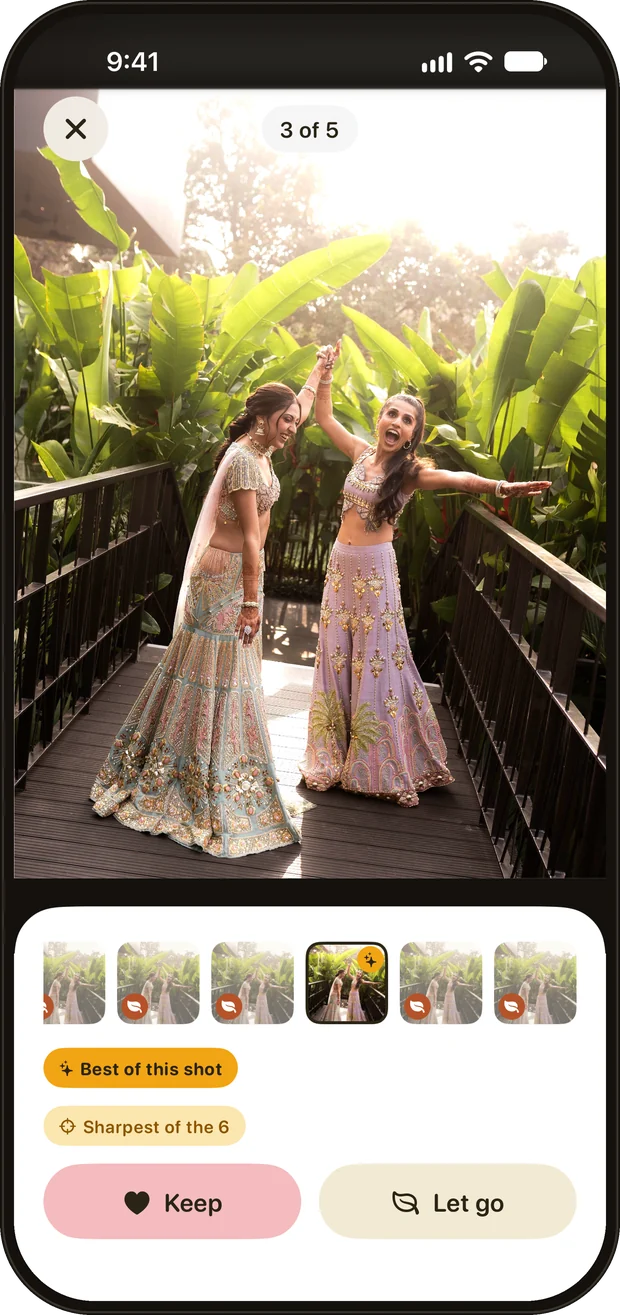
From one real mehndi: 112 photos, 9 worth keeping.
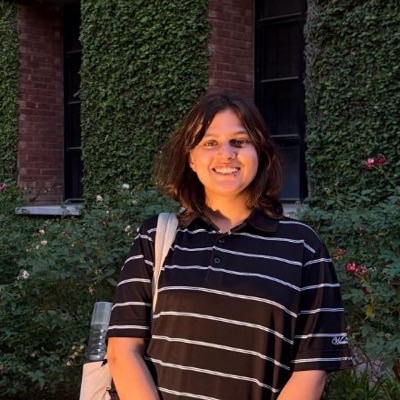
The idea came to me while designing an Instagram post for my best friend’s wedding. I couldn’t stop taking pictures because I didn’t want to miss a moment. But going through 500 nearly identical shots to find the perfect one to post? Tedious. So, I built an app to do it for you.
Sana Humayun
Hi, I’m Sana; a CS graduate from LUMS whose thumb refuses to leave the shutter button. Forty photos of the same chai cup? A normal Tuesday. And if you’ve ever found yourself second-guessing eight pictures with practically the exact same pose, wondering which one to keep, you’re in the right place. That’s exactly why I built Marigold.
marigold.hey@gmail.comThe name
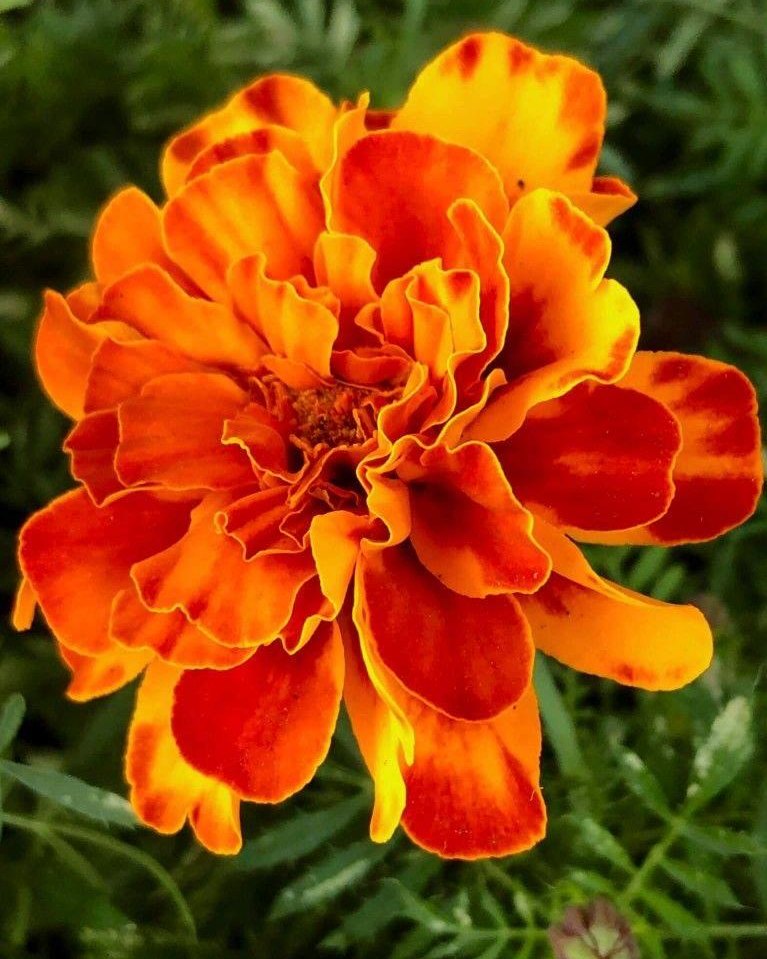
Named after the genda phool.
Marigolds, genda phool, are everywhere at Pakistani and South Asian weddings. They're strung into garlands, piled on the mehndi stage, and somewhere in the background of so many of the photos we take.
Marigold is for those days, and for keeping the best of them. Naming it after the flower that's in all those pictures felt right.
The logo is that same flower. I photographed a marigold, printed it in black and white, then embroidered, beaded and glittered it by hand.
What is Marigold?
Thirty photos of one moment. Five worth keeping.
On your iPhone
Every photo is looked at on the phone. Nothing is uploaded.
1 to 3 per shot
The best of each pose, so the memory stays whole.
Free to start
Your first moment, like a whole mehndi, is free. Then 2 moments a month stay free.
How Marigold works
From a full camera roll to the photos you'll keep, in minutes.
It finds your moments
Marigold groups your photos by when and where they were taken, then names each moment, for example from the place, a holiday like Eid, or your own album names.
It groups the look-alikes
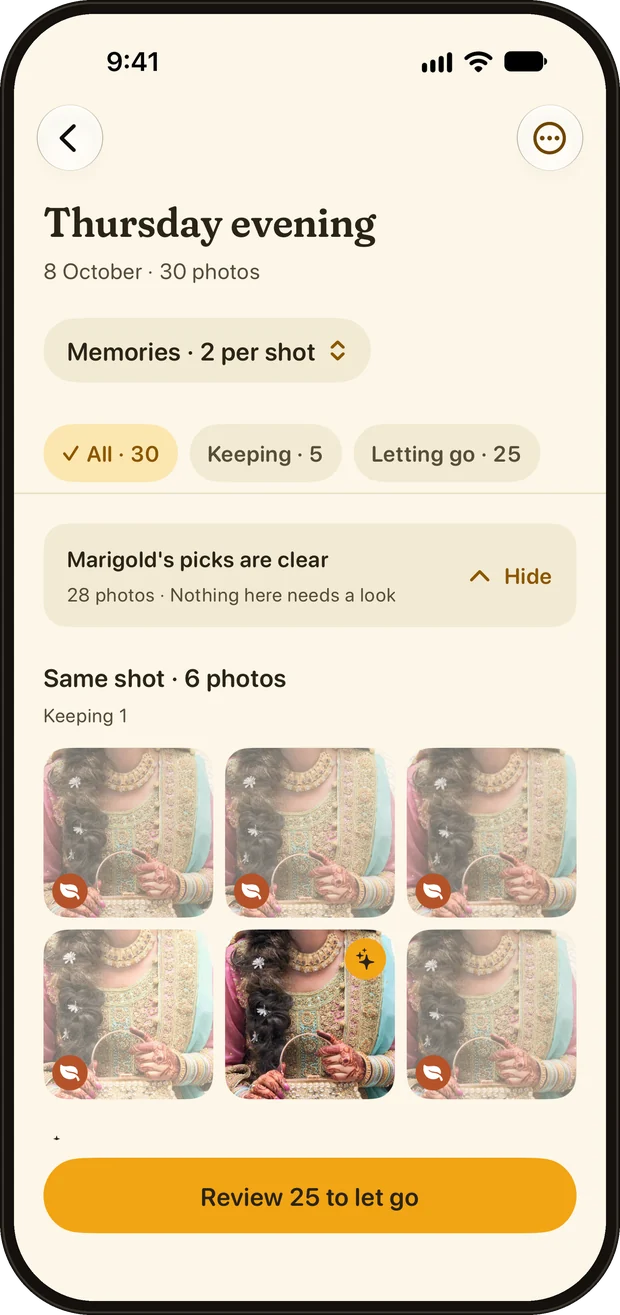
Inside a moment, photos of the same pose become one shot, so ten tries at one group photo sit together.
It picks the best of each shot
It looks at sharpness, light, closed eyes, smiles and who's facing the camera, and keeps up to three of each shot. You choose whether that's one, two or three.
You decide what goes
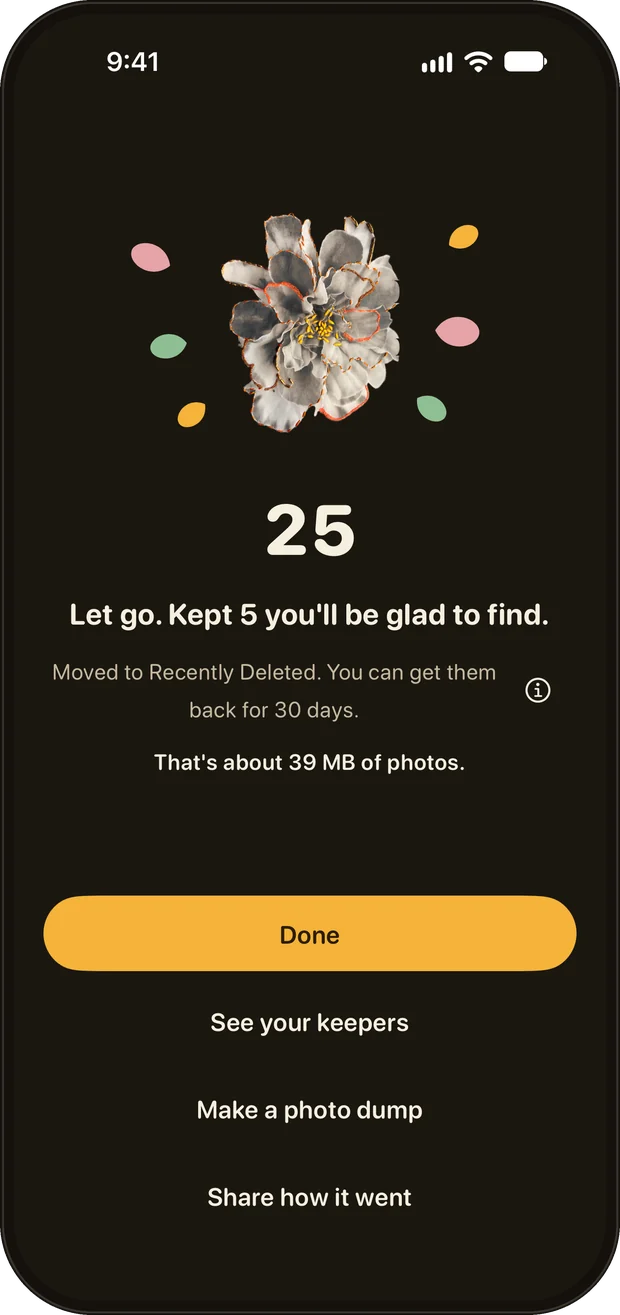
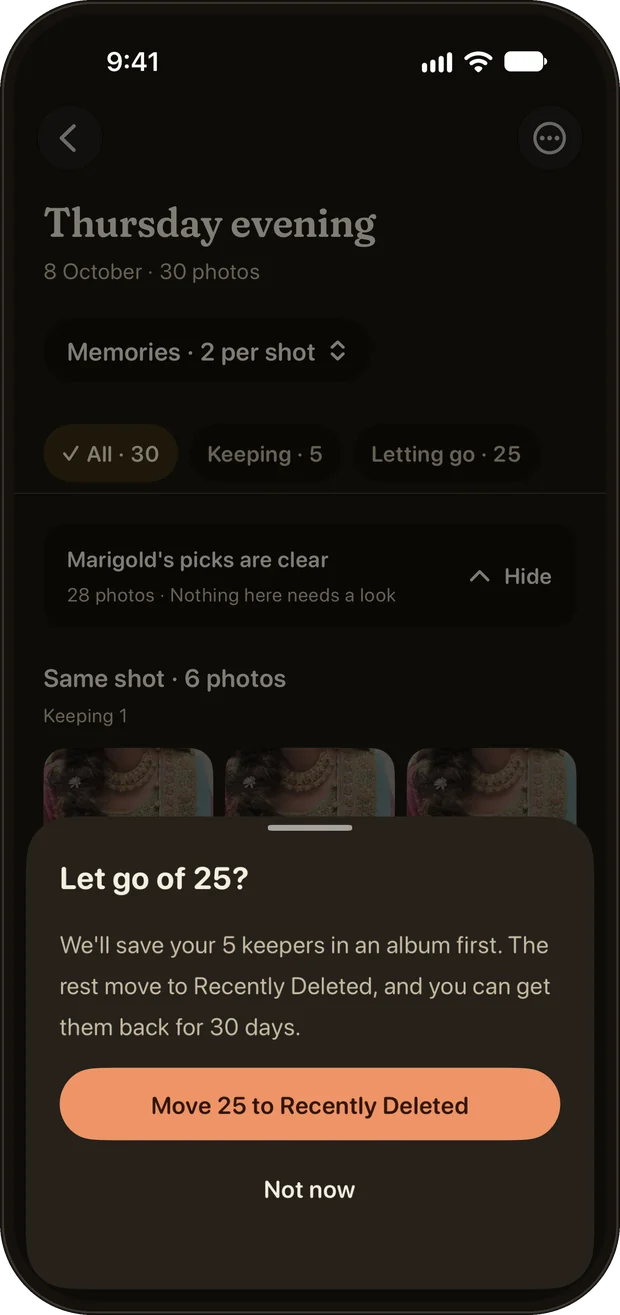
Swipe through the picks and change anything. Your keepers are saved to an album, and the rest move to Recently Deleted only when you confirm.
Why you can trust it
It tells you why.
Every pick comes with a reason you can see: sharpest of the six, both smiling, nicely lit.
Don't agree? Tap Keep or Let go, or swipe up or down. You always have the last word.
- Sharpest of the 6
- Nicely lit
- Everyone's in frame
- Eyes may be closed
- Near-copy of a keeper
Features
Small things that save you time.
Built for big galleries: weddings with several functions, week-long trips, and the everyday photos in between.
Ready for your photo dump
Choose Social posts and Marigold weighs photos for posting. When a moment is done, tap Make a photo dump.
Compare side by side
Put two photos next to each other at the same zoom and keep the one you love.
Easy to let go
Very blurry, very dark shots, screenshots and photos of notes are gathered in one place.
Works with iCloud Photos
If some photos live only in iCloud, Marigold asks before it looks at them.
Made for
The days you take the most photos.
Weddings
Dholki, mayun, mehndi, nikkah, baraat, walima. Hundreds of photos per function, sorted into the few you'll print and post.
Trips
Hunza, Istanbul or Baku: every view from every angle, narrowed to the best of each place.
Birthdays and dinners
The group photo taken eight times, kept once, with everyone's eyes open.
A full phone
When your iPhone says storage is full, start with the moments that take the most space.
Safe by design
Nothing goes without you.
Before anything moves, Marigold saves your keepers to an album. Then it asks you to confirm, and iOS asks once more.
Anything you let go waits 30 days in Recently Deleted, in case you change your mind.
Pricing
Free to start.
A moment is one event, like a mehndi, a trip or a birthday dinner. Your first moment is free, whatever its size. After that, 2 moments a month stay free (up to 150 photos each). Marigold Yearly opens every moment, however big.
Free download · Marigold Yearly Rs 2,500 / US $19.99 a year
Download on the App StoreQuestions
Good to know.
What is Marigold?
Marigold is an iPhone app that sorts your photos into moments and keeps the best one to three photos of every shot, with the reason for each pick. Everything happens on your phone.
Is Marigold a best photo picker?
Yes. For every shot it picks the strongest one to three photos on sharpness, light, open eyes, smiles and who's in frame, and tells you the reason, so you can check it at a glance.
Does Marigold find duplicate photos?
It finds near-identical shots, like the 20 takes of one group photo, keeps the best 2 or 3 and shows why ("Near-copy of a keeper", "Eyes may be closed"). It never lets a photo go without asking you, and iOS asks once more.
How does Marigold choose the best photo?
It compares photos of the same shot on sharpness, light, closed eyes, smiles and whether people face the camera, then keeps the strongest. You can always change its picks.
Does Marigold upload my photos?
No. Everything happens on your iPhone, and your photos are never sent anywhere. Marigold's App Store privacy label is "Data Not Collected".
Can I undo?
Yes. Photos you let go wait 30 days in Recently Deleted, and your keepers are saved to an album first.
What does it cost?
Marigold is free to download. A moment is one event, like a mehndi or a trip. Your first moment is free, whatever its size, and 2 moments a month (up to 150 photos each) stay free. Marigold Yearly opens every moment: Rs 2,500 a year in Pakistan, US $19.99 in the US, and Apple's local price elsewhere.
Where can I get it?
On the App Store for iPhone: search "Marigold Photo Moments", or tap Download on the App Store at the top of this page.
Which iPhones does it work on?
Any iPhone running iOS 26 or later.
Does it work with photos in iCloud?
Yes. Marigold asks before it looks at photos that are only in iCloud.
Is Marigold a photo cleaner?
It frees up space like one, but it starts from your memories. Instead of making you judge every photo, it keeps the best of every moment and lets the near-copies go.
Will it free up storage?
Yes. Photos you let go move to Recently Deleted, and the space comes back when iOS empties it after 30 days, or when you empty it yourself.
Does Marigold recognise people?
No. It checks things like closed eyes and smiles in each photo, but it never identifies who anyone is.
Is it on Android?
Not yet. Marigold is made for iPhone first.
From the blog
iPhone photo tips, from the maker.
Wedding photo dump ideas: the 10-slide formula
Wedding photo dump ideas with a simple 10-slide formula for Instagram: the cover, the details, the group photo, the candids, and an ending that lands.
4 min read →The 10-minute iPhone camera roll reset (before the new year)
A 10-minute iPhone camera roll reset for the new year: check storage, stop WhatsApp saves, sort screenshots and videos, and keep the best of each moment.
5 min read →Similar and duplicate photos on iPhone: how to keep the best one
Similar and duplicate photos on iPhone: what the Photos Duplicates album finds, what it misses, and how to keep the best of 20 near-identical takes.
4 min read →